
-
×
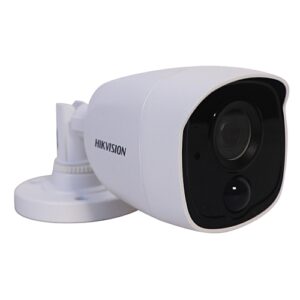
 HIKVISION DS2CE16COT-IRP BULLET CAMERA 720P
1 × KSh2,200.00
HIKVISION DS2CE16COT-IRP BULLET CAMERA 720P
1 × KSh2,200.00
Subtotal: KSh2,200.00




KSh6,000.00 KSh6,500.00
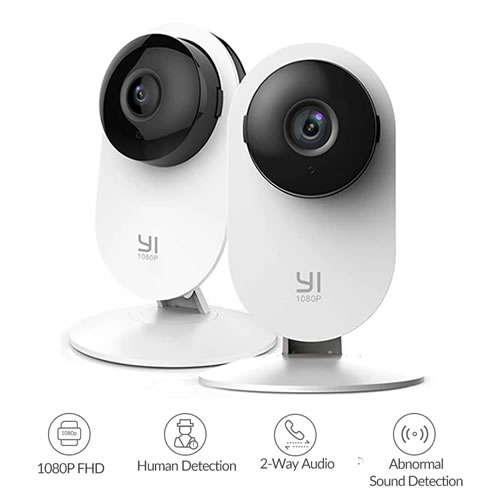
1080p High-quality Resolution
With our 1080p resolution, you can see all the details of the record clearly.
Clear Sight, Day or Night
With our night vision solution, you can keep an eye on your home no matter day or night.
Two-Way Audio
You can see, talk and listen to your family, pets, and loved ones anywhere by YI’s anti-noise mic and speaker.
Advanced Edge Computing
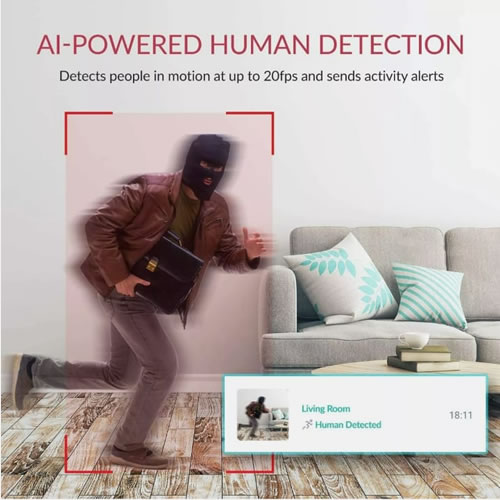
YI edge computing technology increases the capacity and accuracy of object detection, which are 5 times higher than others, preventing “Unnecessary Disturbance” caused by insects or pets.
Sound/Baby Crying Detection
YI’s accurate Sound detection will always let you know when you are needed.
Optional 24/7 Emergency Response Service – YI’s motion alerts and live video feeds are now equipped with the option to instantly involve Noon light’s Certified Emergency Dispatchers, who coordinate with police, fire, and EMS agencies on customers’ behalf to ensure the situation is promptly handled.
Adjustable Alert Frequency: AI powered human detected alert or motion detected alerts can be set by sensitivity levels from high to low. Eliminates ‘false positives’ caused by flying insects, small pets, or light changes. You’ll only be alerted for the moments that matter
Works With Alexa – Officially Alexa compatible and works with any screen-based Alexa device. You can use the Alexa Skill to turn on your camera or view its live feed with a simple voice command.
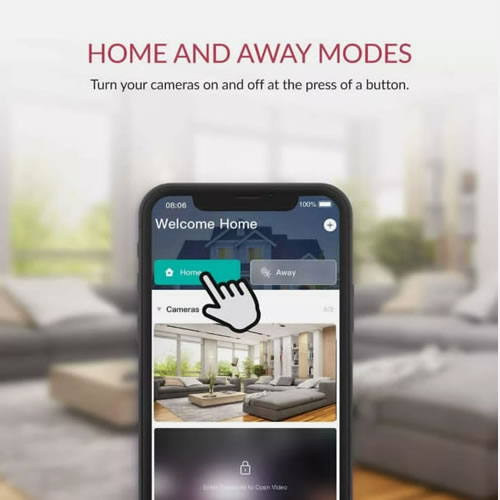
Reliable Wi-Fi Connectivity – Access your camera with our mobile / PC APP anytime and anywhere, more flexible with Home/Away mode. Allows sharing your camera with up to 5 family members or friends, and view multiple cameras on a single account. 9 live feeds on pc app is available now. Built-in support for 2.4Ghz (5Ghz currently not supported) Wi-Fi band.
Cloud & Local Storage: Motion-triggered video clips will be safely stored on the Cloud for up to 30 days. For local storage, micro SD-cards up to 64GB are supported
Setting Up Your Camera With YI Home App
1.Install YI Home App and create a YI Home Account
2.Turn your camera on and select the ‘+’ icon in YI Home App to add your camera
3.Select your Wi-Fi network and enter your Wi-Fi password, then select Connect to Wi-Fi
4.Scan the QR Code shown on the app, then select Next once the QR Code has scanned
5.Select Save, then select Start using to finish pairing
6.If connection failed, please push the Reset button and try again
WiFi Settings
1.YI Home cameras will need to connect to a 2.4GHz band network. 5GHz WiFi band is not supported
2.Turning on the location service on the phone if you encounter Unknown SSID issue
3.Encryption mode must be set to WPA/WPA2 (mixed mode) or WPA2
4.Your Wi-Fi password must be 8-20 characters in length


There are no reviews yet.